The left navigation
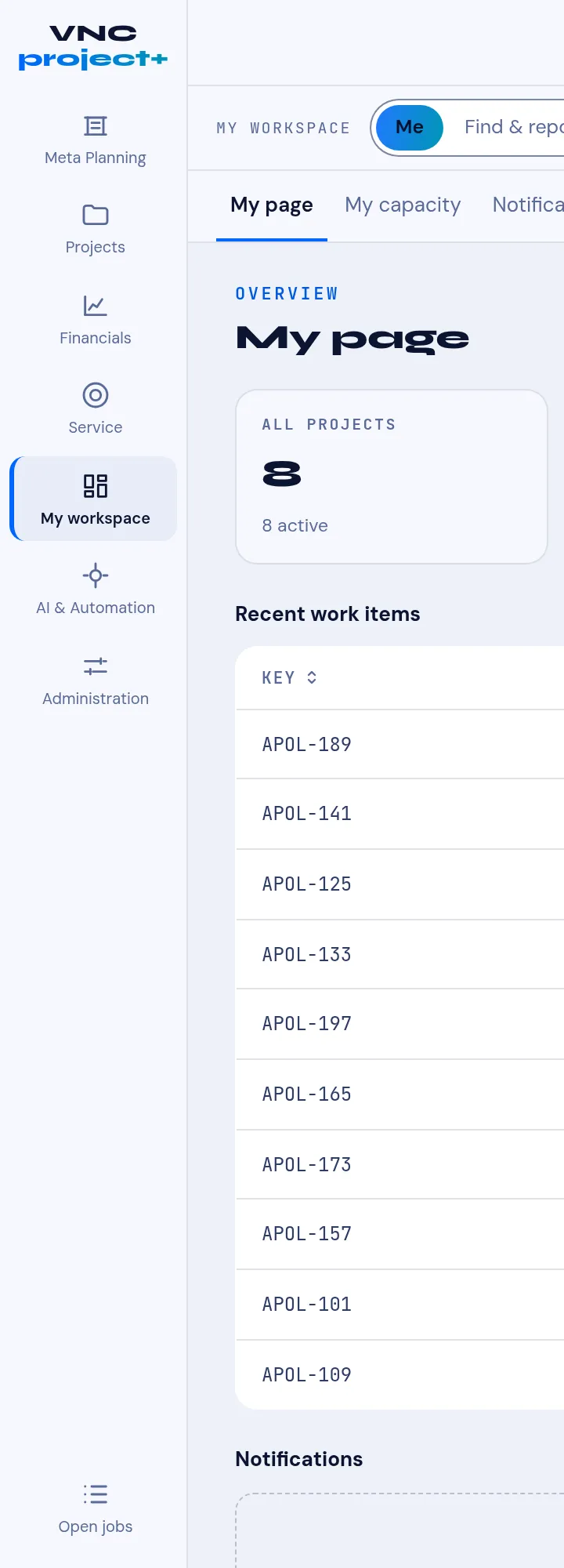
VNCproject+ uses a narrow icon rail (far left). Each icon opens a workspace; the one in view is highlighted (here My workspace).
The rail
Section titled “The rail”| Icon | Opens |
|---|---|
| Meta Planning | Cross-project planning above a single project. |
| Projects | The project list and a project’s tabs. |
| Financials | Cost, budget and the financial view. |
| Service | Service and support work. |
| My workspace | Your personal area (see below). |
| AI & Automation | AI features and automations over projects. |
| Administration | Project settings and administration. |
| Open jobs | Background jobs in progress. |
My workspace
Section titled “My workspace”The top of the workspace switches between Me and Find & report. Under Me are three tabs:
- My page — your overview: all projects, recent work items, notifications.
- My capacity — your allocation and availability.
- Notifications — what needs you.
→ Your My page · My page and timesheets · Plan capacity
Inside a project
Section titled “Inside a project”A project opens with tabs including Plan, Agile, Content and the Work items list. → The Plan tab · The Agile board · The Content tab · The Work items list · The work-item panel