Pipeline stages and the forecast
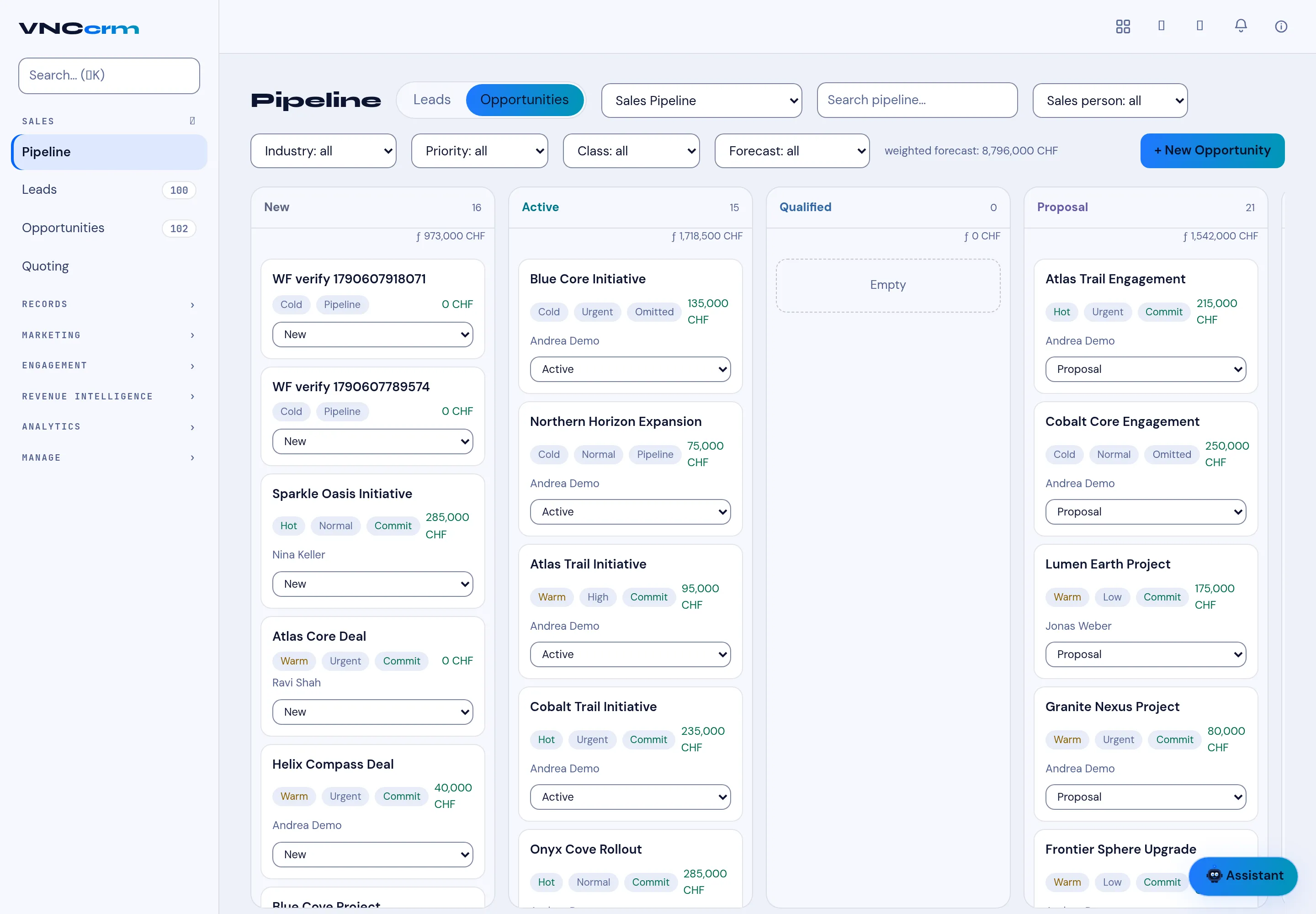
The Pipeline is an opportunity board. Each stage is a column, and each deal is a card. This page lists the parts you will meet.
Stages
Section titled “Stages”| Stage | Meaning |
|---|---|
| New | Just created, not yet worked. |
| Active | Being worked. |
| Qualified | A real opportunity, budget and need confirmed. |
| Proposal | A proposal is out. |
| Closed | Won or lost. |
Each column header shows its count and value (for example New 14 · 973,000 CHF).
Fields on a deal card
Section titled “Fields on a deal card”- Name and company.
- Temperature — Hot, Warm, Cold.
- Priority — for example Normal, Urgent.
- Commit / Omitted — whether it counts toward the committed forecast.
- Value — in the deal currency (CHF in the demo).
- Owner — the sales person.
- Stage — a dropdown on the card, so you can move it without opening it.
The forecast
Section titled “The forecast”The header shows the weighted forecast for the pipeline — each stage’s value weighted by its probability, rolled up across the board. It is a pipeline total, never a per-page sum.
Filters
Section titled “Filters”- Leads / Opportunities tabs switch the record type.
- Pipeline selector (for example Sales Pipeline).
- Industry, Priority, Class, Forecast and Sales person, plus a search box.