Choose how much thought a turn gets
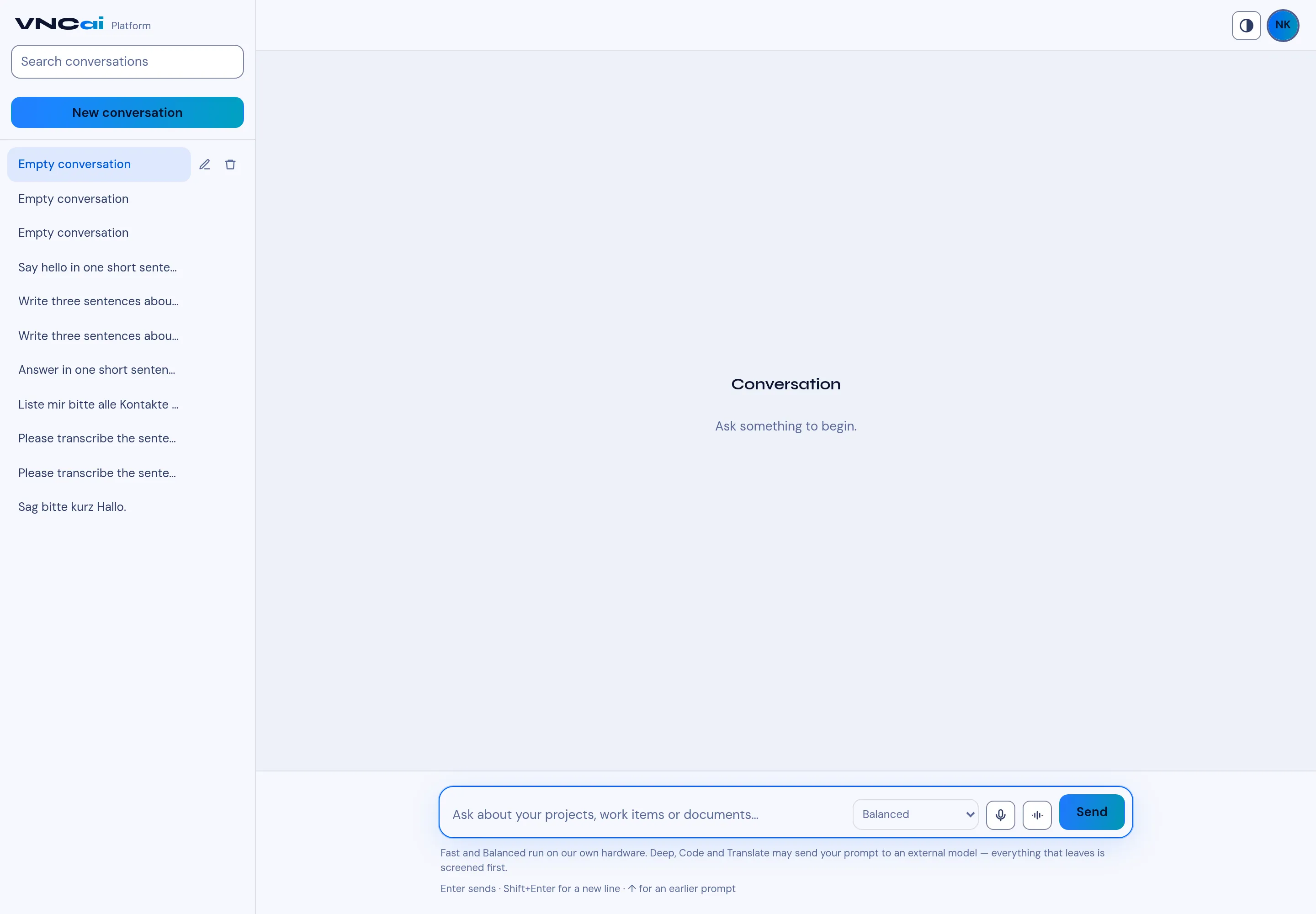
Before you send, the composer has a model menu — labelled How much thought this turn gets. It sets which model answers this turn; you can change it on every message.
The options
Section titled “The options”| Option | Runs | Use it for |
|---|---|---|
| Fast | On our own hardware | Quick answers, short look-ups. |
| Balanced | On our own hardware | The default — most questions. |
| Deep · external | May call an external model | Hard reasoning, long analysis. |
| Code · external | May call an external model | Writing or explaining code. |
| Translate · external | May call an external model | Translation. |
Sovereignty
Section titled “Sovereignty”Fast and Balanced run on our own hardware. Deep, Code and Translate may send your prompt to an external model — and everything that leaves is screened first. Choose a local option when the content must not leave the perimeter.
- Open or start a conversation.
- In the composer, open the model menu (it shows Balanced by default) and pick Fast, Balanced, Deep · external, Code · external or Translate · external.
- Type your question and select Send (
Entersends,Shift+Enteradds a line,↑recalls an earlier prompt).