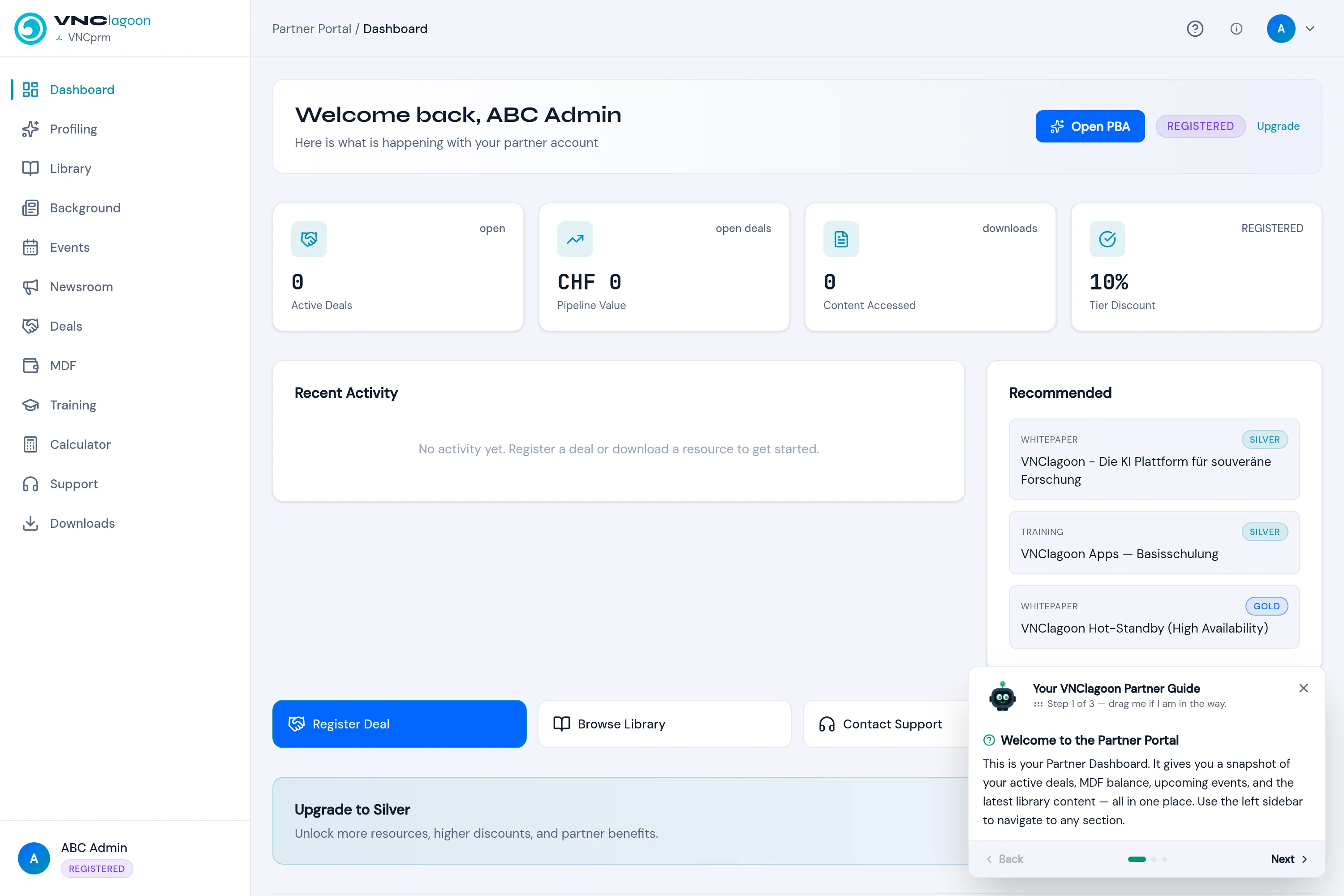
The partner dashboard
Dashboard is the partner portal home. It is a snapshot of your partnership in one place.
Header
Section titled “Header”- Welcome back,
— Here is what is happening with your partner account. - Open PBA — open the Partner Business Agreement.
- Your tier badge (for example REGISTERED) and Upgrade.
KPI cards
Section titled “KPI cards”| Card | Shows |
|---|---|
| Active Deals | Open deals you registered. |
| Pipeline Value | The value of that pipeline. |
| Content Accessed | Downloads from the library. |
| Tier Discount | Your current tier’s discount (for example 10%). |
Lower panels
Section titled “Lower panels”- Recent Activity — your latest actions (register a deal, download a resource) feed this list.
- Recommended — library items selected for your tier (WHITEPAPER, TRAINING, with SILVER/GOLD tags).
- Quick actions — Register Deal, Browse Library, Contact Support.
- Upgrade to Silver — what the next tier unlocks (more resources, higher discounts).
The sidebar (Dashboard, Profiling, Library, Background, Events, Newsroom, Deals, MDF, Training, Calculator, Support, Downloads) is the map of the portal.