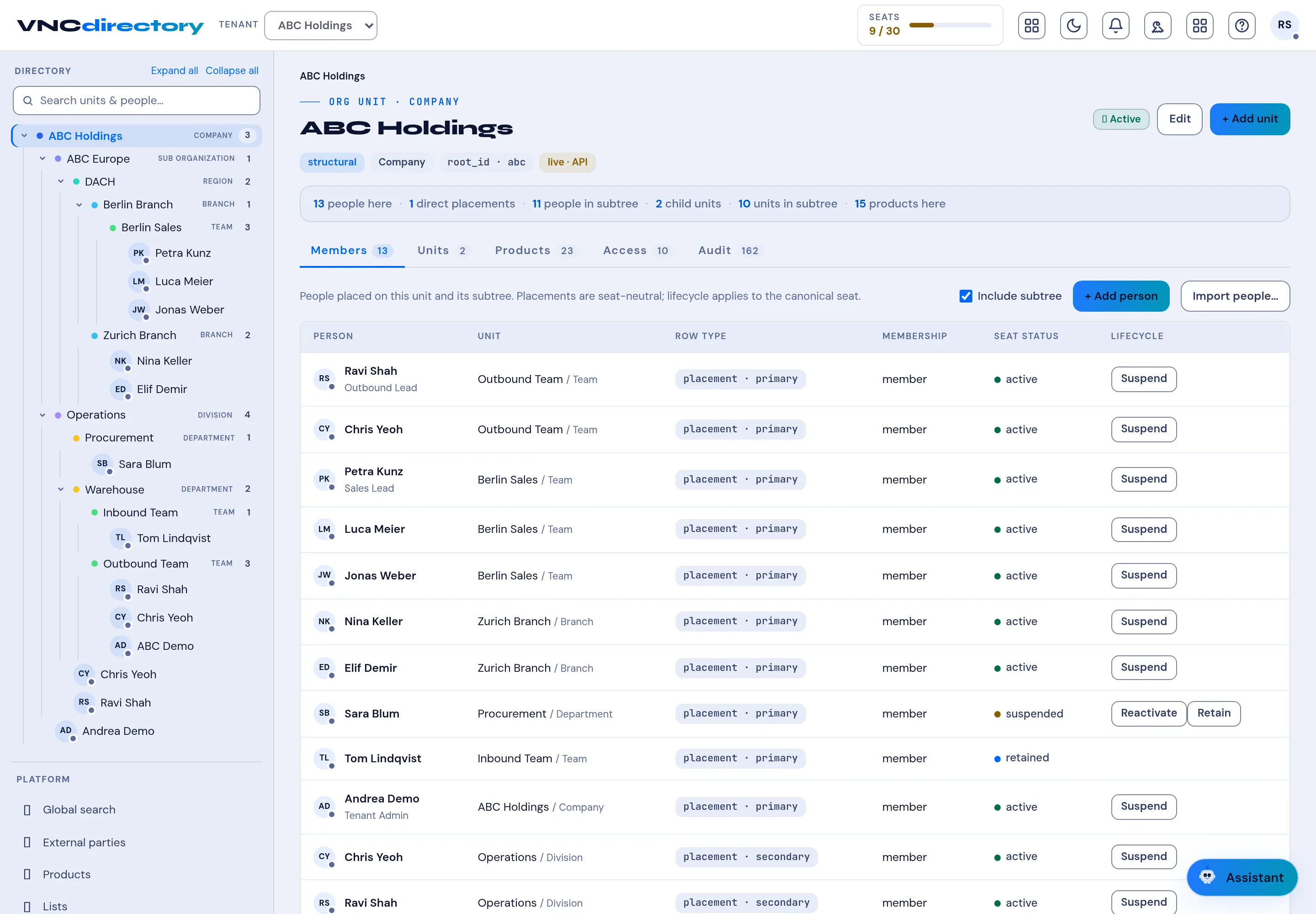
Browse members and units
Every unit in VNCdirectory+ has the same tabs: Members, Units, Products, Access and Audit. Use them to see who is where.
- Select a unit in the tree on the left (a company, region, branch, department or team).
- The header summarises the unit — for example 13 people here · 1 direct placements · 11 people in subree · 2 child units · 10 units in subree.
- Members lists each person with their Unit, Row type (primary/secondary), Membership, Seat status and Lifecycle. Toggle Include subtree to include child units.
- Switch to Units to see child units, Products for the products placed on the unit, Access for grants, and Audit for history.
- Administrators can add people here with + Add person, + Add unit or Import people….
Result
Section titled “Result”Selecting a person opens their profile. The seat lifecycle can be changed from the row — Suspend, Reactivate or Retain.