Contacts in VNCcrm
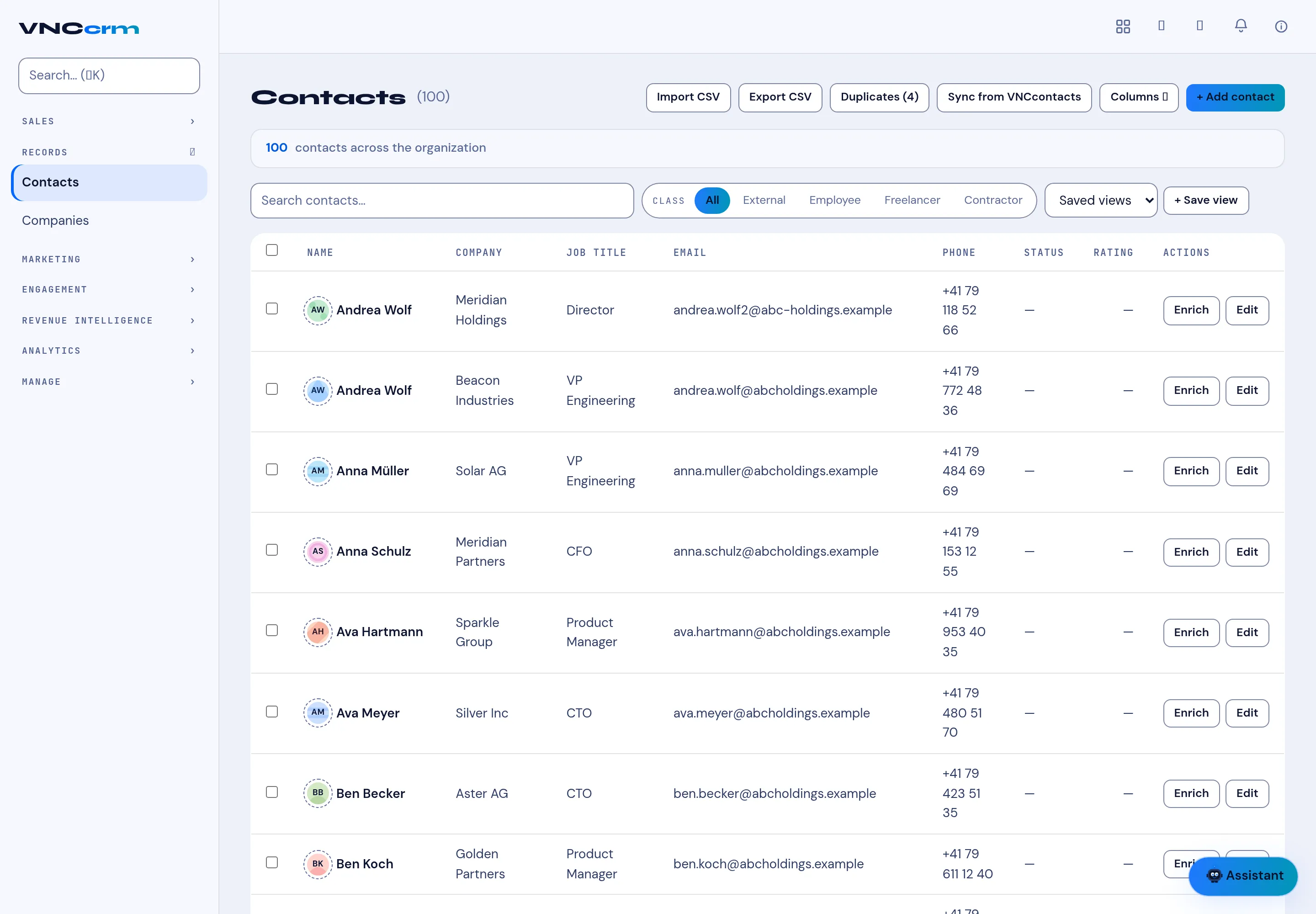
Records → Contacts is the CRM’s view of the people behind your deals. It mirrors VNCcontacts+ (the address-book system of record) and adds the sales fields.
The header
Section titled “The header”| Button | What it does |
|---|---|
| Import CSV | Bring contacts in from a file. |
| Export CSV | Download the current selection. |
| Duplicates | Review suggested duplicate records (with a count). |
| Sync from VNCcontacts | Pull the latest people from VNCcontacts+. |
| Columns | Choose which columns show. |
| + Add contact | Create one here. |
The summary reads n contacts across the organization. Filter by Class (External, Employee, Freelancer, Contractor), search, and keep a filter with Saved views / + Save view.
Each row
Section titled “Each row”Columns are Name, Company, Job title, Email, Phone, Status, Rating and Actions — Enrich (gather more data about the person) and Edit. Select a row to open the contact; their deals and activities are on the contact page.