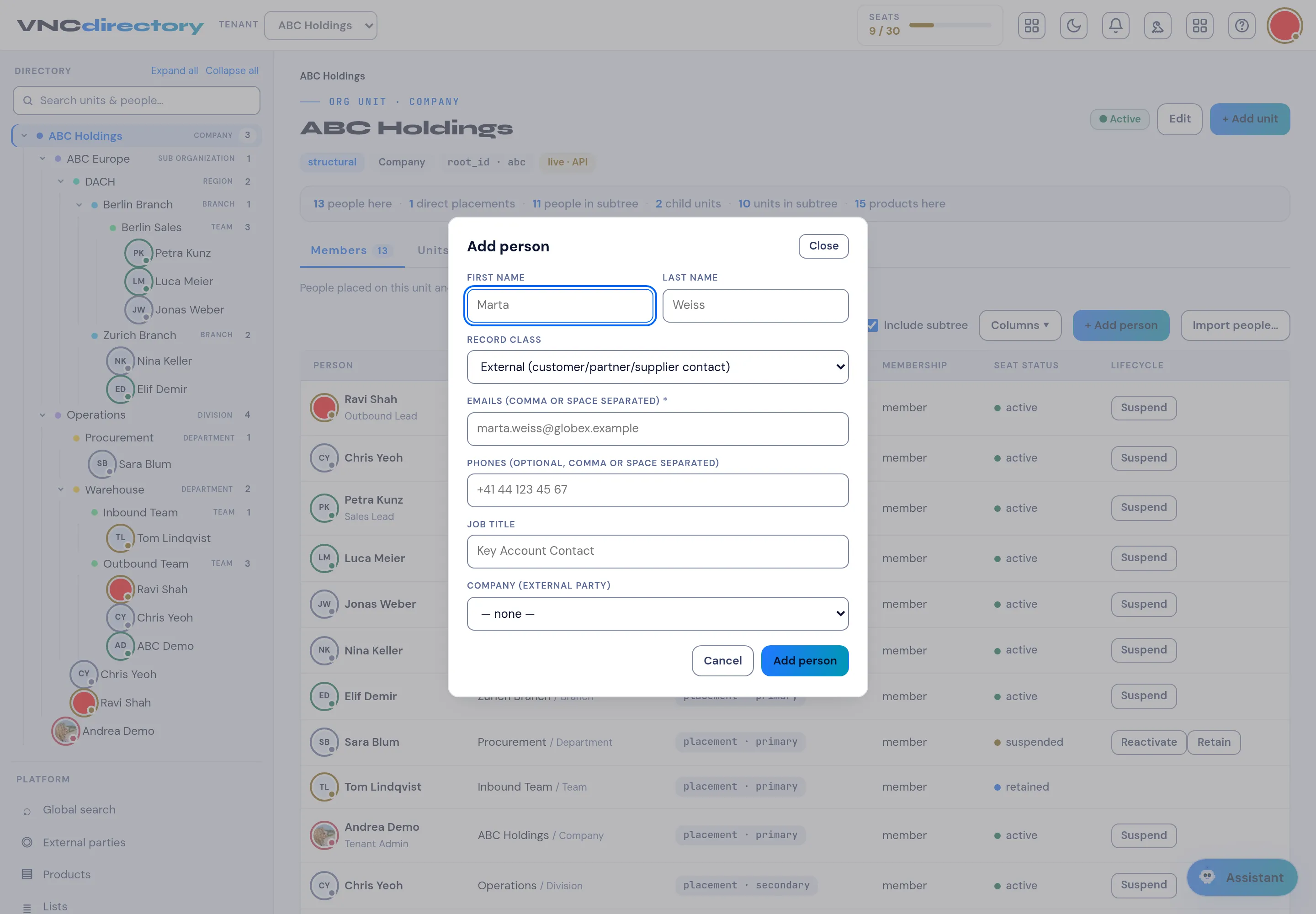
Add a person
Directory administrators can add an internal user to a unit straight from the unit view. VNCdirectory+ holds internal users only — external people (customers, partners, suppliers) live in VNCcontacts+.
-
Open VNCdirectory+ and select the unit the person belongs to.
-
Select + Add person (or Add person above the member list).
-
Fill in the dialog:
Field Notes First name / Last name Required. Record class Internal user — the default. Emails Required — one or more, comma or space separated. Phones Optional, comma or space separated. Job title Optional. -
Select Add person.
External people live in VNCcontacts+
Section titled “External people live in VNCcontacts+”An external person is not added here — the directory is internal-only. Use VNCcontacts+, the address-book system of record. From an external party in VNCdirectory+, Add contact opens VNCcontacts+ for you.
Result
Section titled “Result”The person is placed on the unit and appears in the Members list with their seat status. To add many at once, use Import people….