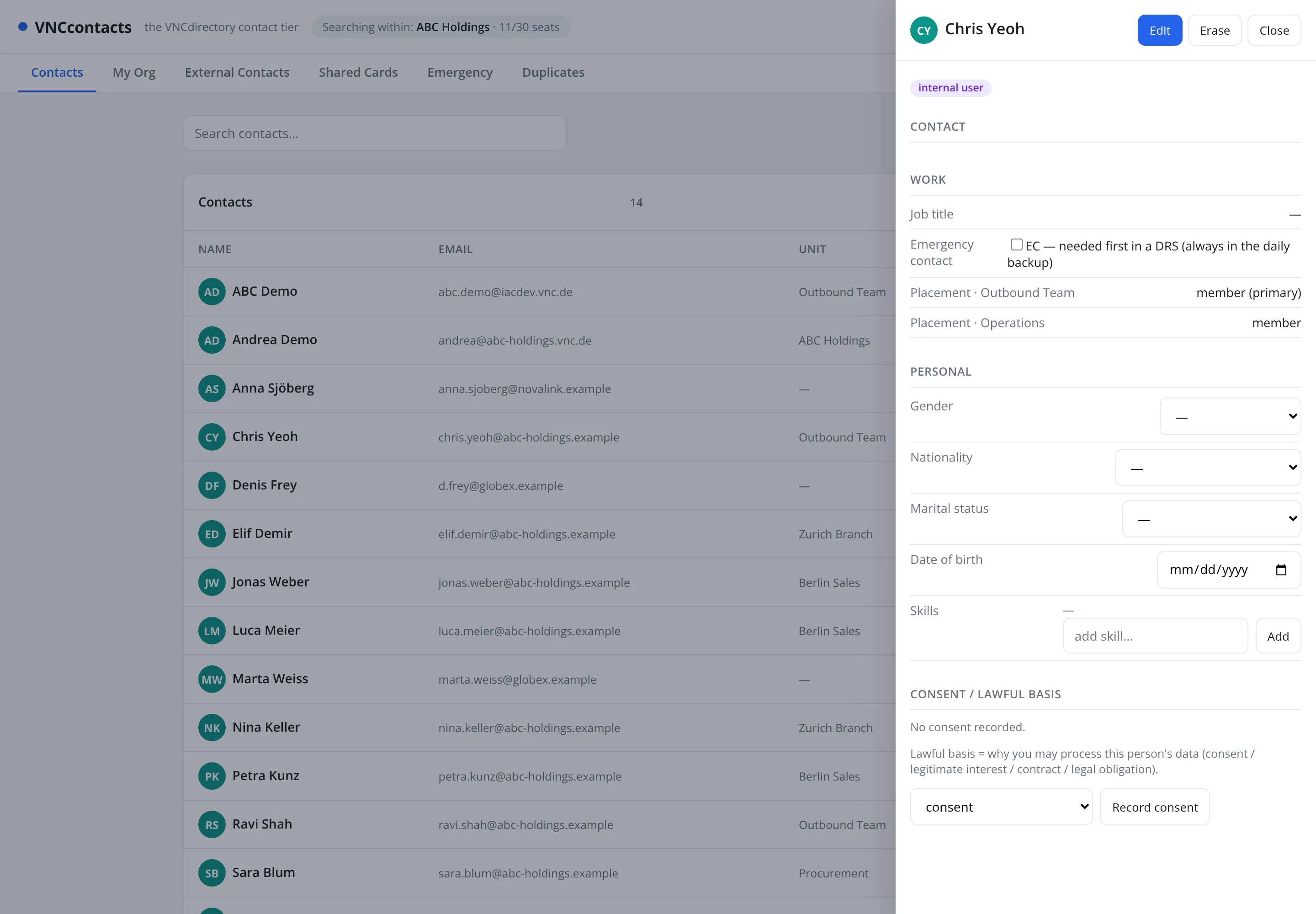
Record a contact's consent
The Consent / lawful basis section records why you are allowed to process this person’s data — consent, legitimate interest, contract or legal obligation.
- Open the contact and select Edit.
- Scroll to Consent / lawful basis.
- Choose the applicable basis in the dropdown — for example consent.
- Select Record consent.
Result
Section titled “Result”The panel shows the recorded basis and the date. Until a basis is recorded the section reads No consent recorded, so a contact with no lawful basis is visible at a glance.