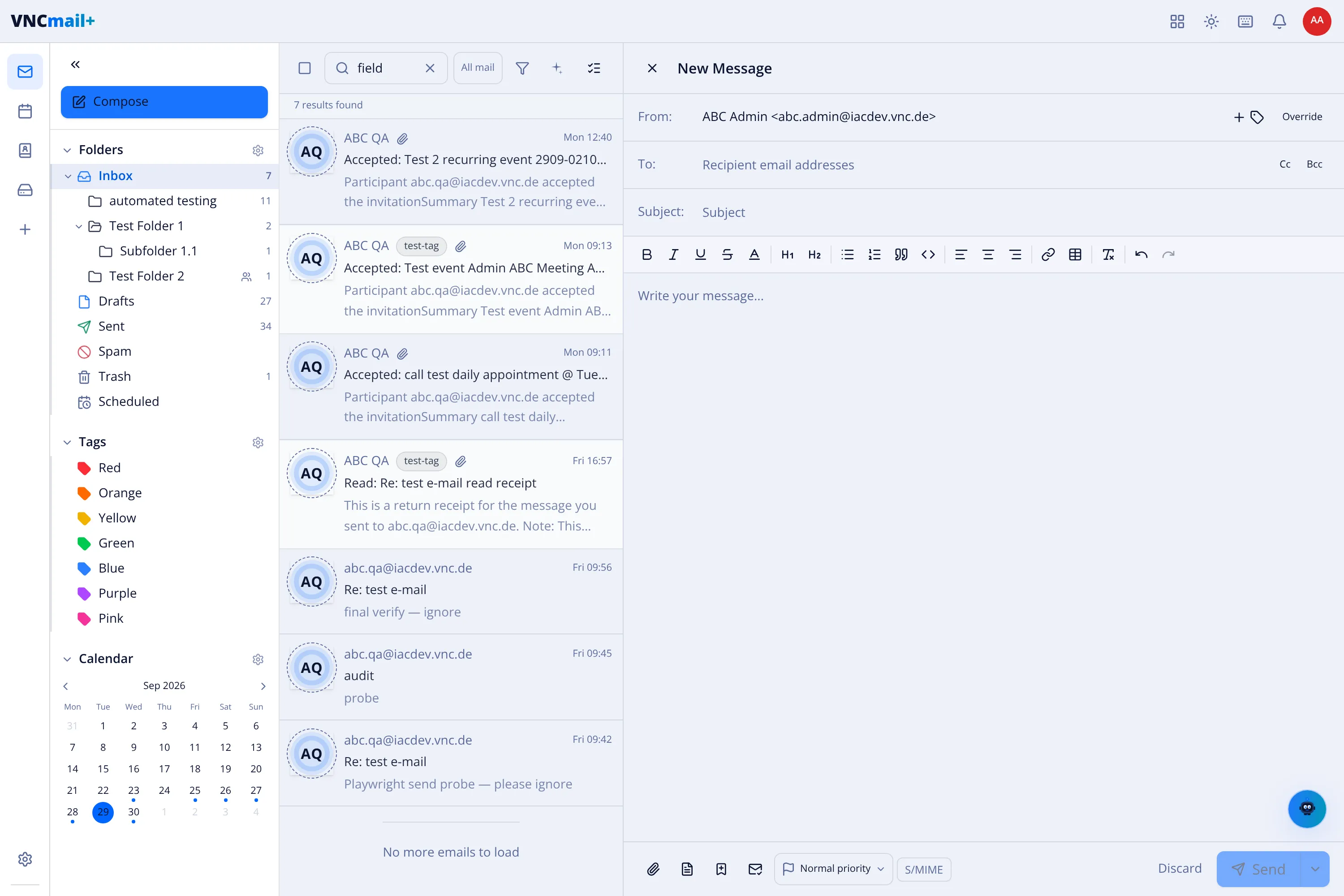
Compose an email
Send a message from any of your mailboxes. The composer opens beside the message list, so you can keep reading while you write.
- Open Mail and select Compose, or press c.
- Leave the default address in From, or change the sender with the arrow.
- Add recipients in To. Use Cc and Bcc for copies and blind copies.
- Enter a Subject.
- Write the message. The toolbar covers bold, italics, underline, headings, lists, quotes, code, links and attachments.
- Select Send. Use Discard to close the draft without sending it.
Result
Section titled “Result”The message is queued and appears in Sent. If you close the composer without sending, the draft is kept in Drafts.