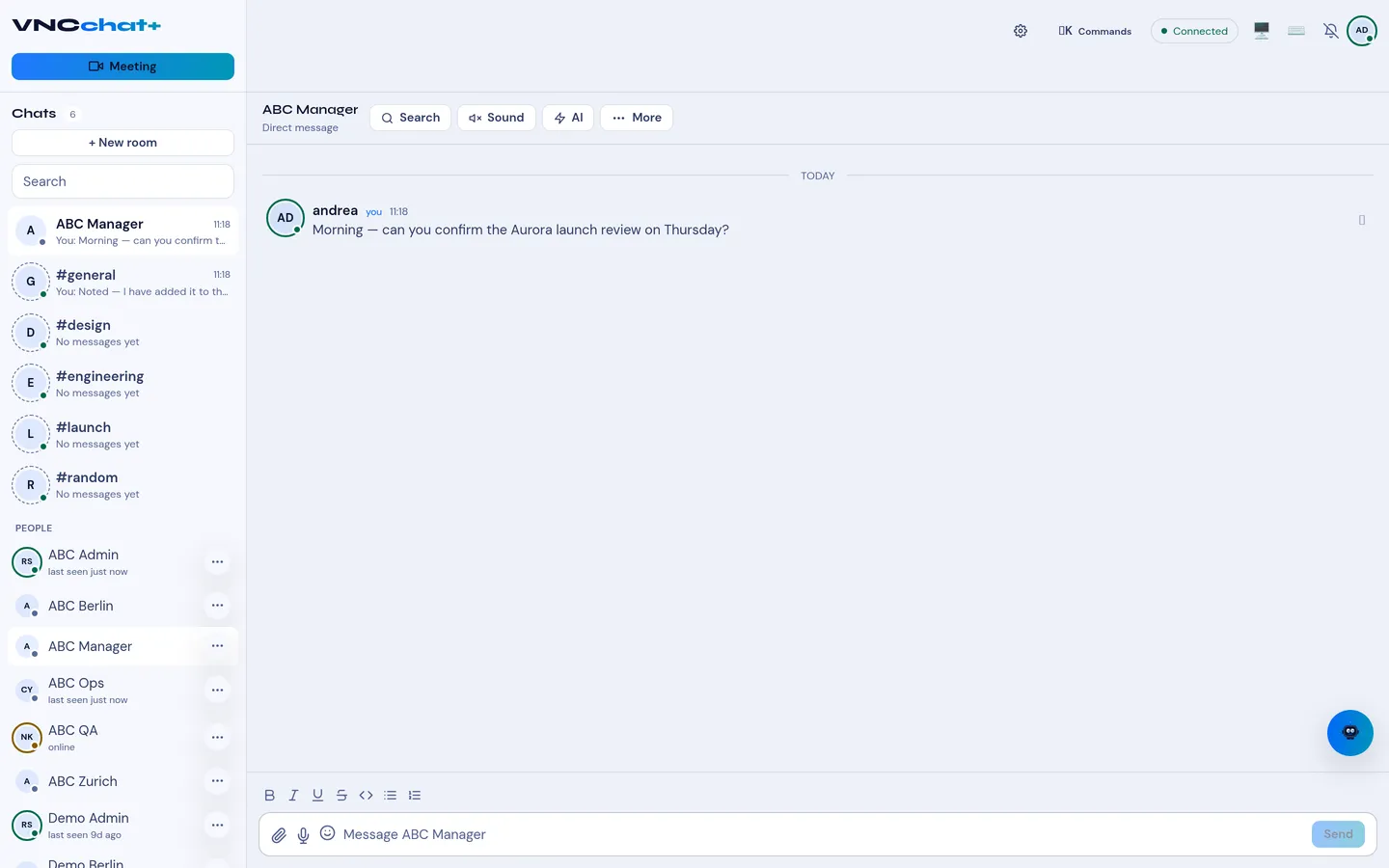
Send a direct message
Direct messages are private conversations between you and one other person. Use them for anything that does not need a room.
Before you start
Section titled “Before you start”- You are signed in to VNClagoon+ — see Sign in to VNClagoon+.
- Start the conversation one of two ways:
- Under People in the sidebar, select the colleague you want to message.
- Or select + New chat, search the directory by name or email, and pick the
person.
If no conversation exists yet, VNCchat opens a new one. Close the New chat
search with
Escor ✕ without starting a conversation.
- Type your message in the composer.
- Optionally, format the message with the toolbar (Bold, Italic,
Underline, Strikethrough, Monospace, lists) or with Markdown-lite:
*bold*,_italic_,~strike~,`code`. - Press
Enterto send.
Result
Section titled “Result”The message appears in the conversation. Your colleague receives a notification based on their notification settings. Hover a message to react with an emoji, or open the more options menu to Reply, Thread, Forward, Star or Pin it.