Set a vacation responder
An automatic reply for people who email you while you are away.
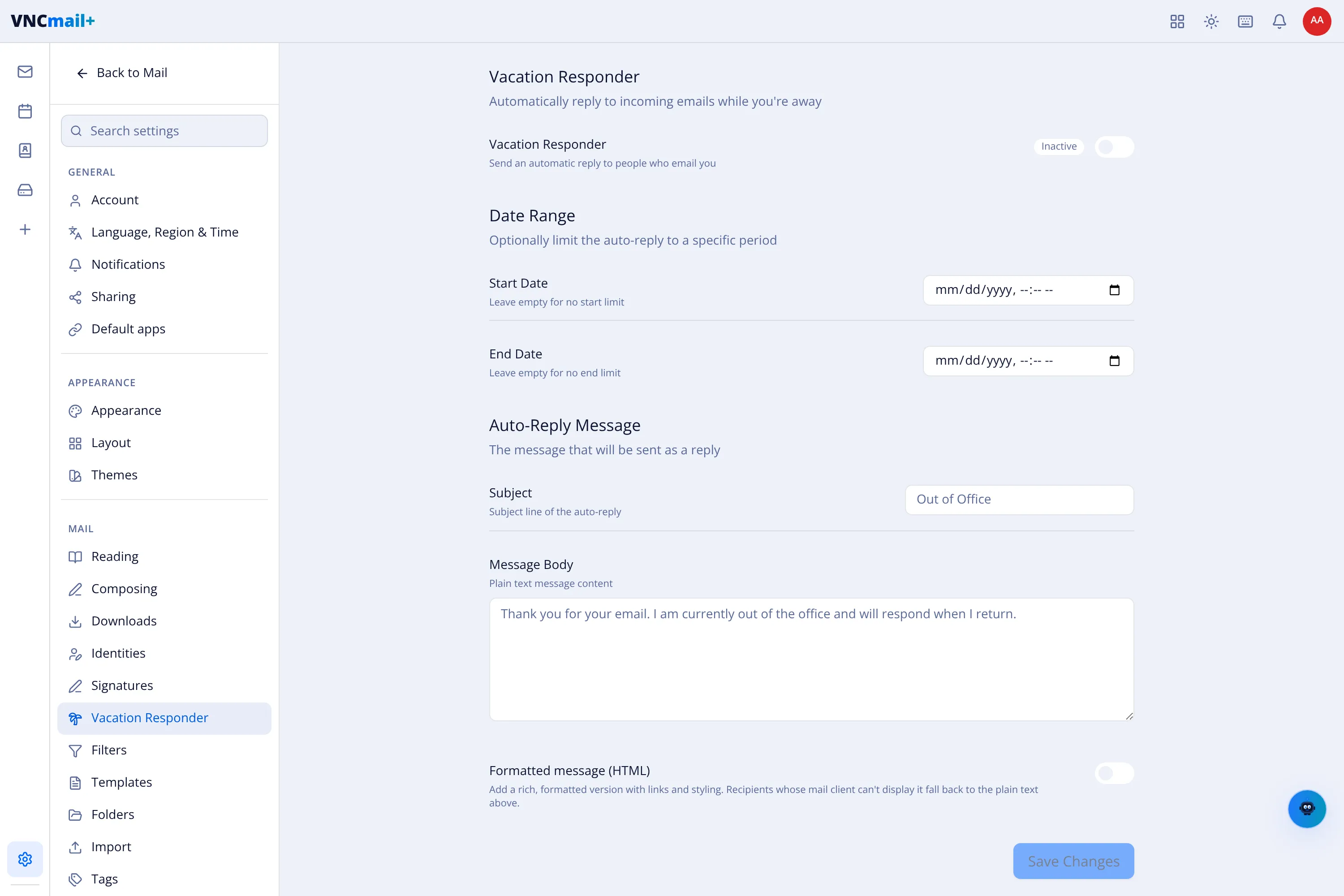
- Open Settings → Vacation Responder.
- Switch the Vacation Responder toggle on (it reads Inactive until you do).
- Optionally set a Date Range — Start Date and End Date — so the auto-reply runs only for a period.
- Set the Auto-Reply Message: the Subject (default Out of Office) and the Message Body (plain text).
- Switch on Formatted message (HTML) to add a rich version with links and styling; clients that cannot show it fall back to the plain text.
- Select Save Changes.
Result
Section titled “Result”Everyone who emails you during the period receives the auto-reply until you turn the responder off.