Publish a topic
A topic is a written item in a channel: an article, a decision, an announcement or a status update. Anyone with posting rights can publish one.
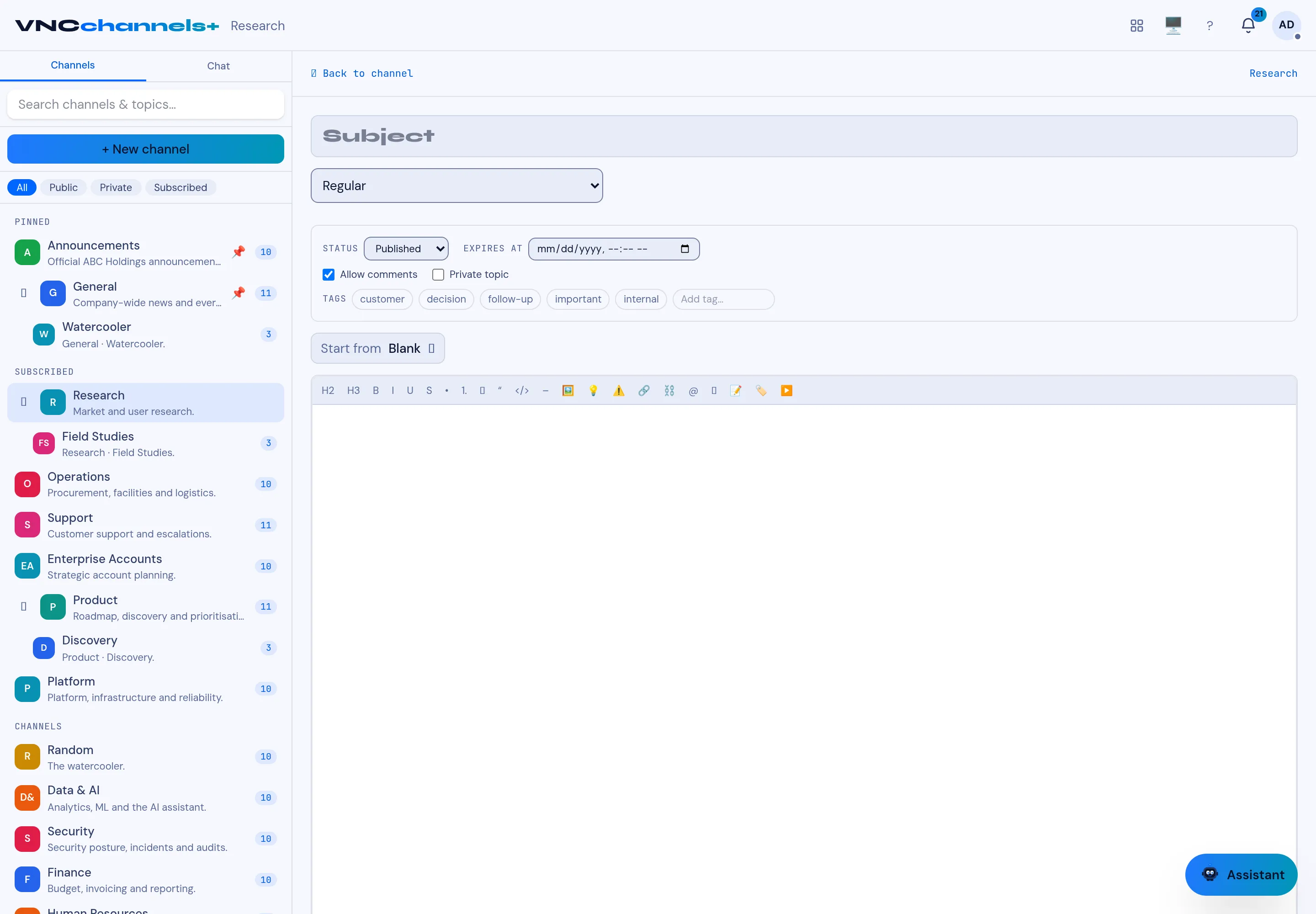
- Open a channel and select + New topic.
- Enter a Subject.
- Choose the type — for example Article, Announcement or another type the channel offers.
- Leave Status on Published, or set Expires at to retire it automatically.
- Optionally select Allow comments, Private topic, Tags, or start from a saved template instead of Blank.
- Write the body with the toolbar, then select Post.
Result
Section titled “Result”The topic is published at the top of the channel’s list. Its Details rail shows the status, author, type and engagement (reads, likes, comments).