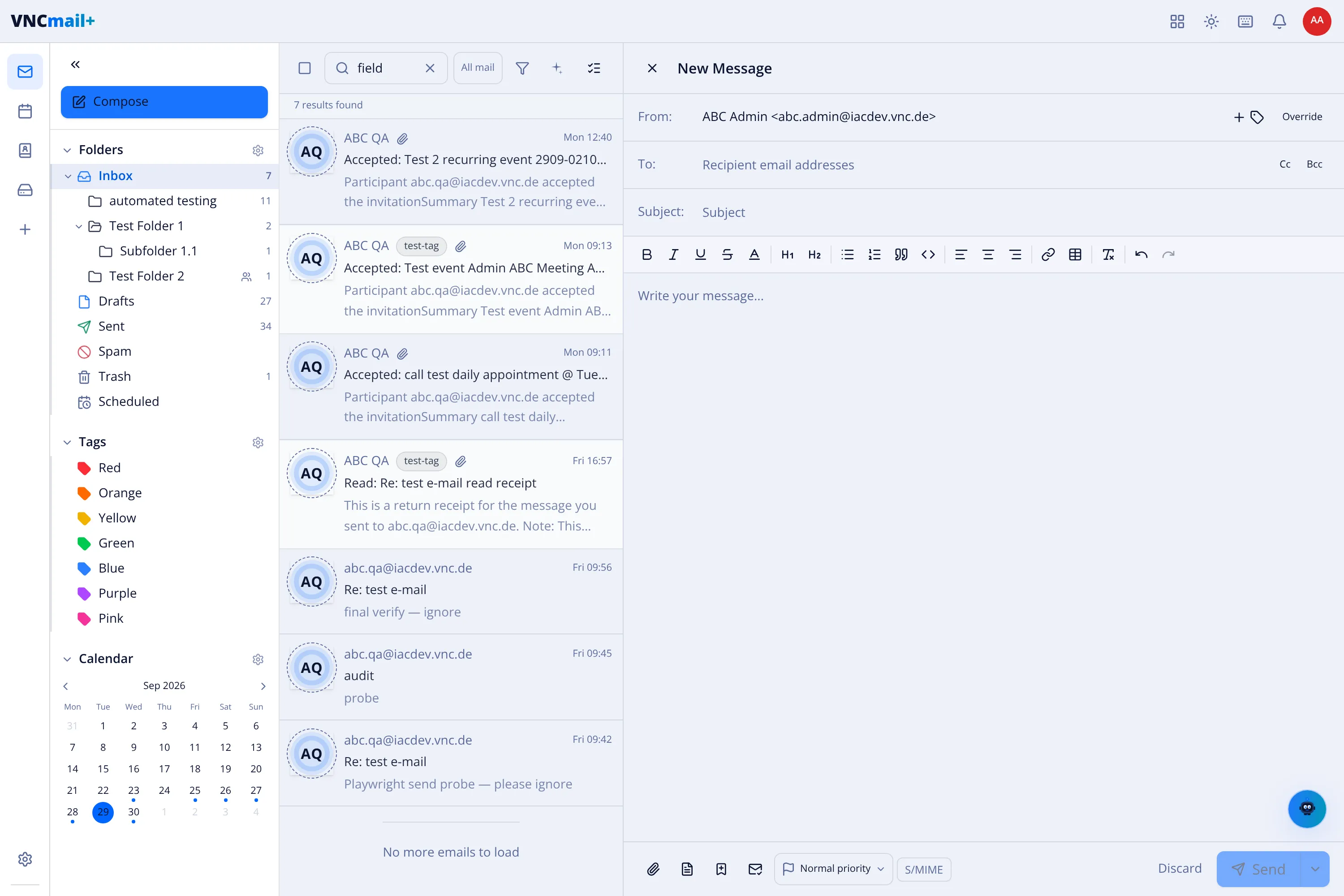
The compose window
New Message opens in the right pane. This is what each control does.
Addressing
Section titled “Addressing”| Control | Does |
|---|---|
| From | The sending identity. The + adds another identity; Override changes the one used. |
| To | The main recipients. Type addresses separated by commas. |
| Cc | Carbon copy — visible to everyone. |
| Bcc | Blind copy — hidden from the other recipients. |
| Subject | The subject line. |
Formatting toolbar
Section titled “Formatting toolbar”| Group | Buttons |
|---|---|
| Text | Bold, Italic, Underline, Strikethrough, text colour, H1, H2. |
| Lists | Bulleted list, numbered list, outdent, indent. |
| Blocks | Block quote, inline code, code block, horizontal rule. |
| Align | Left, centre, right. |
| Insert | Link, image, table, text direction (when enabled). |
| History | Undo, redo. |
Footer
Section titled “Footer”| Control | Does |
|---|---|
| Attach | Attach files from your device. |
| Drive | Insert from a file space. |
| Emoji | Insert an emoji. |
| Normal priority | Send priority — Highest, High, Normal, Low, Lowest. |
| S/MIME | Sign/encrypt — import a key in Settings to sign/encrypt. |
| Discard | Throw the draft away. |
| Send | Send now; the arrow offers Send later. |
Signatures and templates
Section titled “Signatures and templates”A signature is inserted automatically from your Signatures settings — see Signatures. A template fills the body from Templates — see Templates. If the subject mentions an attachment and none is attached, an attachment reminder warns you before sending (see Composing settings).