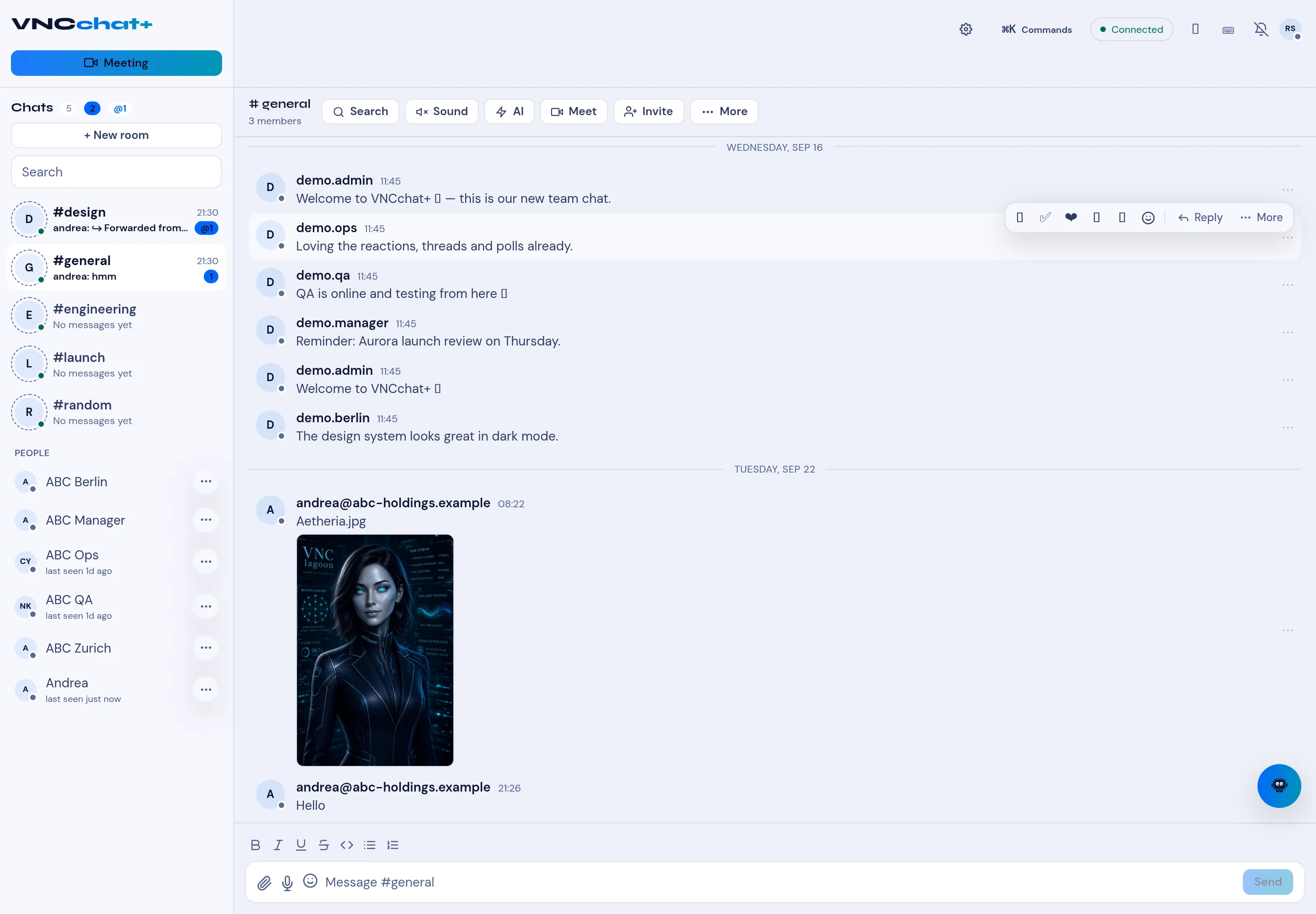
Get around a room
A room has three zones: the header, the message list and the composer.
Header
Section titled “Header”Beside the room name and member count is the action row:
| Control | Does |
|---|---|
| Search | Search within the room. |
| Sound | Toggle room notification sound. |
| AI | Assistant actions for the room. |
| Meet | Start a meeting. |
| Invite | Add members. |
| More | The remaining room actions. |
Meeting at the top of the sidebar starts a video meeting.
Message actions
Section titled “Message actions”Hover a message to reveal its action bar: quick reactions (for example a tick and a heart), the emoji picker, Reply and ⋯ More (thread, pin, copy and the rest).
Composer
Section titled “Composer”The composer has Bold, Italic, Underline, Strikethrough, block quote, inline code and lists, then attach, microphone and emoji, and Send.